|
| void | SetTileSize (int newWidth, int newHeight) |
| | Sets both the width and height of tiles in this layer atomically, raising only a single SceneLayerTileSizeChanged event.
|
| PointF | GridToWorldPx (PointF grid) |
| | Converts a grid coordinate (col,row) into the world-space pixel anchor where that tile begins. This returns the tile's top-left anchor in world pixels, not the tile center.
|
| PointF | WorldPxToGrid (PointF worldPx) |
| | Converts a world-space pixel position into this layer's grid coordinates. This uses the layer's active coordinate system (square, iso, hex, etc.) and returns fractional grid values when the point lies between tiles.
|
| SceneLayerTile? | GetAdjacentTile (SceneLayerTile tile, CardinalDirections direction) |
| | Returns the neighboring tile in the given direction, or null if the direction would move off the layer and wrapping is not enabled. The meaning of N,S,E,W depends on the active coordinate system.
|
| PointF | WrapGrid (PointF grid) |
| | Wraps a grid coordinate around the layer's valid grid bounds using toroidal wrapping (0..max). Used by movement and map designs that loop at edges.
|
| virtual RectangleF | GetLayerBoundsPx () |
| | Computes the world-space pixel bounding rectangle for this SceneLayer. This uses the coordinate system to evaluate the pixel extents of the extreme grid tiles. Works for square, iso, hex, and any other supported projection.
|
| IEnumerator | GetEnumerator () |
| | Returns an enumerator that iterates through the layer's tiles.
|
| virtual void | Dispose () |
| | Releases all resources used by the SceneLayer and disposes all tiles.
|
|
| TypedValueBag | ValueBag = new() [get] |
| | Gets the extensible value bag for storing arbitrary layer-specific metadata.
|
| CoordinateSystemTypes | CoordinateSystemType [get, set] |
| | Gets or sets the coordinate system type used by this layer for transforming between grid coordinates and pixel positions.
|
| string | ID = Guid.NewGuid().ToString() [get, set] |
| | Gets or sets the unique identifier for this layer.
|
| Scene | Scene [get, set] |
| | Gets or sets the parent scene that contains this layer.
|
| int | ZOrder [get, set] |
| | Gets or sets the z-order (rendering depth) of this layer within its parent scene.
|
| float | Parallax [get, set] |
| | Gets or sets the parallax scrolling factor for this layer.
|
| int | TileHeight [get, set] |
| | Gets or sets the height of each tile in this layer, measured in pixels.
|
| int | TileWidth [get, set] |
| | Gets or sets the width of each tile in this layer, measured in pixels.
|
| bool | Visible [get, set] |
| | Gets or sets a value indicating whether this layer should be rendered.
|
| SceneLayerTile[,] | SceneLayerTileArray [get] |
| | Gets the two-dimensional array of tiles that comprise this layer's grid.
|
| int | GridColumnCount [get] |
| | Gets the number of columns (tiles wide) in this layer's grid.
|
| int | GridRowCount [get] |
| | Gets the number of rows (tiles high) in this layer's grid.
|
| bool | WrapHorizontally [get, set] |
| | Gets or sets a value indicating whether this layer wraps horizontally at the grid boundaries.
|
| bool | WrapVertically [get, set] |
| | Gets or sets a value indicating whether this layer wraps vertically at the grid boundaries.
|
| bool | ShowGridLines [get, set] |
| | Gets or sets a value indicating whether grid lines should be rendered over this layer for debugging.
|
| bool | ShowCollisionBoxes [get, set] |
| | Gets or sets a value indicating whether collision boxes should be rendered over this layer for debugging.
|
| Point | OriginPx [get, set] |
| | Gets or sets the world-space pixel origin of this layer's (0,0) tile position.
|
| ColliderRegistry | ColliderRegistry = new() [get] |
| | Gets the collision world associated with this scene, used for physics and collision detection.
|
| CollisionGroupRegistry | CollisionGroups [get] |
| | Gets the registry of collision groups used to organize and manage collision detection within the scene.
|
| SceneLayerTile? | this[int x, int y] [get] |
| | Gets the tile at the specified grid coordinates.
|
| SceneLayerTile? | this[Point pt] [get] |
| | Gets the tile at the specified grid coordinates.
|
| SceneLayerTile? | this[PointF ptF] [get] |
| | Gets the tile at the specified grid coordinates, truncating fractional values.
|
| static SceneLayer | Empty = new EmptySceneLayer() [get] |
| | Gets the singleton empty scene layer instance.
|
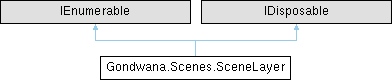
Represents a single layer within a Scene, containing a grid of tiles and supporting various coordinate systems, parallax scrolling, and rendering properties. Scene layers provide the fundamental structure for organizing and rendering tile-based game content.
A SceneLayer is a 2D grid of SceneLayerTile instances that can be rendered with different coordinate systems (orthogonal, isometric, hexagonal), z-ordering for depth sorting, and parallax effects for multi-plane scrolling backgrounds.
Layers support both tile-based content and sprite rendering, with automatic management of dirty regions for efficient incremental rendering. They can also contain direct drawing instances for custom graphics overlays.
Each layer maintains its own coordinate system transformation, allowing mixing of different projection types within the same scene. Layers can be configured to wrap horizontally or vertically for seamless tiling effects.
| virtual void Gondwana.Scenes.SceneLayer.Dispose |
( |
| ) |
|
|
virtual |
Releases all resources used by the SceneLayer and disposes all tiles.
This method performs orderly cleanup of the layer, including:
After disposal, the layer should not be used. This method can be overridden in derived classes to add custom cleanup logic, but the base implementation should be called to ensure proper resource release.
This method suppresses finalization to prevent the finalizer from running, as cleanup has already been performed.
Gets the collision world associated with this scene, used for physics and collision detection.
A ColliderRegistry instance managing collision data for this scene.
The collision world maintains collision geometry, spatial partitioning structures, and collision detection state for all collidable entities within the scene. It is automatically created when the scene is initialized and is used by the engine's collision resolution system.
Gets or sets the coordinate system type used by this layer for transforming between grid coordinates and pixel positions.
A CoordinateSystemTypes value specifying the projection type.
The coordinate system determines how grid positions are mapped to screen pixels and affects rendering, collision detection, and movement calculations. Common types include:
-
CoordinateSystemTypes.Orthogonal - Standard square grid
-
CoordinateSystemTypes.IsometricRhombic - Diamond-shaped isometric projection
-
CoordinateSystemTypes.IsometricAxial - Axial isometric projection
-
CoordinateSystemTypes.HexAxialFlatTop - Hexagonal grid with flat-top orientation
-
CoordinateSystemTypes.HexAxialPointedTop - Hexagonal grid with pointed-top orientation
Changing the coordinate system after layer creation is supported but may produce unexpected visual results if tile content was designed for a different projection.
| SceneLayer Gondwana.Scenes.SceneLayer.Empty = new EmptySceneLayer() |
|
staticget |
Gets the singleton empty scene layer instance.
A SceneLayer instance with zero dimensions that serves as a null object pattern.
The empty scene layer is a special singleton instance that contains no tiles (0x0 grid), is invisible, has minimum z-order, and serves as a placeholder when a valid layer is not available. It is used internally by Scene.Empty and helps avoid null reference checks.
This layer has the following characteristics:
-
Grid dimensions: 0 columns × 0 rows
-
Tile size: 1×1 pixels
-
Visible: false
-
ZOrder: int.MinValue
-
Parallax: 1.0
| Point Gondwana.Scenes.SceneLayer.OriginPx |
|
getset |
Gets or sets the world-space pixel origin of this layer's (0,0) tile position.
A Point specifying the pixel offset in world space. Default is (0, 0).
The origin point allows shifting the entire layer as a block within world space, which is useful for creating offset parallax effects, layered UI elements, or special positioning requirements. Normally this is (0, 0), meaning the layer's grid coordinate (0, 0) maps to world pixel (0, 0).
Setting this property raises the OriginPxChanged event and triggers a full scene refresh.
Gets the two-dimensional array of tiles that comprise this layer's grid.
A 2D array of SceneLayerTile instances indexed by [column, row].
This property provides direct access to the underlying tile array. The array is indexed by [x, y] or [column, row], where [0, 0] represents the top-left tile.
For safer access with bounds checking and wrapping support, prefer using the layer's indexer properties (layer[x, y], layer[point], or layer[pointf]).
| bool Gondwana.Scenes.SceneLayer.ShowCollisionBoxes |
|
getset |
Gets or sets a value indicating whether collision boxes should be rendered over this layer for debugging.
true if collision boxes should be displayed; otherwise, false.
Collision boxes provide a visual overlay showing the collision geometry of tiles and sprites, which is useful during development for debugging physics interactions, verifying collision boundaries, and tuning collision detection.
Setting this property raises the ShowCollisionBoxesChanged event and triggers a full scene refresh.
| bool Gondwana.Scenes.SceneLayer.ShowGridLines |
|
getset |
Gets or sets a value indicating whether grid lines should be rendered over this layer for debugging.
true if grid lines should be displayed; otherwise, false.
Grid lines provide a visual overlay showing tile boundaries, which is useful during development for aligning content, debugging tile positions, and verifying coordinate system behavior.
Setting this property raises the ShowGridLinesChanged event and triggers a full scene refresh.
| int Gondwana.Scenes.SceneLayer.TileHeight |
|
getset |
Gets or sets the height of each tile in this layer, measured in pixels.
The tile height in pixels. Default is typically 32.
This property defines the rendered height of tiles in this layer. Changes to tile height affect how tiles are positioned and rendered within the layer's coordinate system.
Setting this property raises the SceneLayerTileSizeChanged event and triggers a full scene refresh. Consider using SetTileSize to update both width and height atomically with a single event.
| int Gondwana.Scenes.SceneLayer.TileWidth |
|
getset |
Gets or sets the width of each tile in this layer, measured in pixels.
The tile width in pixels. Default is typically 32.
This property defines the rendered width of tiles in this layer. Changes to tile width affect how tiles are positioned and rendered within the layer's coordinate system.
Setting this property raises the SceneLayerTileSizeChanged event and triggers a full scene refresh. Consider using SetTileSize to update both width and height atomically with a single event.
Gets the extensible value bag for storing arbitrary layer-specific metadata.
A TypedValueBag instance for storing custom key-value data.
The value bag allows games or engine extensions to attach arbitrary structured data to layers (such as layer-specific properties, AI navigation data, weather effects, or custom attributes) without modifying the core SceneLayer class. Values are accessed using strongly-typed ValueKey<T> instances and are included in layer serialization.
| bool Gondwana.Scenes.SceneLayer.Visible |
|
getset |
Gets or sets a value indicating whether this layer should be rendered.
true if the layer is visible and should be rendered; otherwise, false.
Invisible layers are excluded from rendering but remain part of the scene structure. This is useful for temporarily hiding layers (such as background layers in cutscenes) without removing them from the scene.
Setting this property raises the VisibleChanged event, invalidates the parent scene's visible layer cache, and triggers a full scene refresh.
| bool Gondwana.Scenes.SceneLayer.WrapHorizontally |
|
getset |
Gets or sets a value indicating whether this layer wraps horizontally at the grid boundaries.
true if horizontal wrapping is enabled; otherwise, false.
When enabled, horizontal coordinates that exceed the grid boundaries wrap around to the opposite side, creating a seamless toroidal topology. This is useful for scrolling backgrounds, wrap-around game worlds, and continuous map designs.
Setting this property raises the WrappingChanged event and triggers a full scene refresh.
| bool Gondwana.Scenes.SceneLayer.WrapVertically |
|
getset |
Gets or sets a value indicating whether this layer wraps vertically at the grid boundaries.
true if vertical wrapping is enabled; otherwise, false.
When enabled, vertical coordinates that exceed the grid boundaries wrap around to the opposite side, creating a seamless toroidal topology. This is useful for scrolling backgrounds, wrap-around game worlds, and continuous map designs.
Setting this property raises the WrappingChanged event and triggers a full scene refresh.
| int Gondwana.Scenes.SceneLayer.ZOrder |
|
getset |
Gets or sets the z-order (rendering depth) of this layer within its parent scene.
An integer representing the layer's rendering priority. Lower values render first (behind), higher values render last (in front).
Z-order determines the rendering order of layers when multiple layers are present in a scene. Layers with lower z-order values are rendered first and appear behind layers with higher values.
Setting this property raises the ZOrderChanged event and typically triggers a full scene refresh to ensure correct layer ordering.