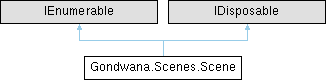
Represents a game scene containing multiple layers of tiles, sprites, and game objects. A scene organizes content into layers with independent coordinate systems, parallax scrolling, and z-ordering, providing a complete environment for rendering and gameplay.
More...
|
| | Scene () |
| | Initializes a new instance of the Scene class with an empty layer collection.
|
| SceneLayer | AddLayer (int columnCount, int rowCount, int width=32, int height=32, int zOrder=0, float parallax=1f, CoordinateSystemTypes coordinateSystem=CoordinateSystemTypes.Orthogonal) |
| | Creates and adds a new SceneLayer to this scene with the specified properties.
|
| void | RemoveAllLayers () |
| | Removes all layers from this scene.
|
| void | RemoveLayer (SceneLayer sceneLayer) |
| | Removes the specified layer from this scene.
|
| SceneLayer? | GetSceneLayerByID (string id) |
| | Retrieves a layer from this scene by its unique identifier.
|
| RectangleF | GetWorldBoundsPx () |
| | Computes a world-space pixel bounding rectangle that encloses all layers in the Scene. Each layer reports its own bounds via GetLayerBoundsPx(), and this method unions them together.
|
| IEnumerator | GetEnumerator () |
| | Returns an enumerator that iterates through the scene's layers.
|
| virtual void | Dispose () |
| | Releases all resources used by the Scene and removes it from the global scene collection.
|
|
| TypedValueBag | ValueBag = new() [get] |
| | Gets the extensible value bag for storing arbitrary scene-specific metadata.
|
| string | ID = Guid.NewGuid().ToString() [get, set] |
| | Gets or sets the unique identifier for this scene.
|
| int | Count [get] |
| | Gets the total number of layers in this scene, including hidden layers.
|
| bool | FullRefreshNeeded [get, set] |
| | Gets or sets a value indicating whether the entire scene needs to be refreshed on the next render.
|
| ReadOnlyCollection< SceneLayer > | SceneLayers [get] |
| | Gets a read-only collection of all layers in this scene, in their current order.
|
| ReadOnlyCollection< SceneLayer > | VisibleSceneLayers [get] |
| | Gets a read-only collection of visible layers sorted by z-order for rendering.
|
| int | CountOfVisibleLayers [get] |
| | Gets the number of currently visible layers in this scene.
|
| CollisionGroupRegistry | CollisionGroups = new() [get] |
| | Gets the registry of collision groups used to organize and manage collision detection within the scene.
|
| SceneLayer? | this[int i] [get] |
| | Gets the SceneLayer at the specified index in the layer collection.
|
| SceneLayer? | this[string id] [get] |
| | Gets the SceneLayer with the specified unique identifier.
|
| static Scene | Empty = new EmptyScene() [get] |
| | Gets the singleton empty scene instance.
|
Represents a game scene containing multiple layers of tiles, sprites, and game objects. A scene organizes content into layers with independent coordinate systems, parallax scrolling, and z-ordering, providing a complete environment for rendering and gameplay.
The Scene class is the primary container for organizing game content into manageable layers. Each scene can contain multiple SceneLayer instances, each with its own coordinate system, tile grid, and rendering properties.
Scenes maintain a collision world for physics interactions, support serialization for save/load functionality, and provide extensible metadata storage through a ValueBag.
All scenes are automatically tracked in a global collection accessible via static methods such as GetAllScenes and GetSceneByID.
| SceneLayer Gondwana.Scenes.Scene.AddLayer |
( |
int | columnCount, |
|
|
int | rowCount, |
|
|
int | width = 32, |
|
|
int | height = 32, |
|
|
int | zOrder = 0, |
|
|
float | parallax = 1f, |
|
|
CoordinateSystemTypes | coordinateSystem = CoordinateSystemTypes::Orthogonal ) |
Creates and adds a new SceneLayer to this scene with the specified properties.
- Parameters
-
| columnCount | The number of columns (tiles wide) in the layer's grid. |
| rowCount | The number of rows (tiles high) in the layer's grid. |
| width | The width of each tile in pixels. Default is 32. |
| height | The height of each tile in pixels. Default is 32. |
| zOrder | The rendering order for this layer relative to other layers. Lower values render first (behind). Default is 0. |
| parallax | The parallax scrolling factor for this layer. Values less than 1.0 create a background effect, values greater than 1.0 create a foreground effect. Default is 1.0 (no parallax). |
| coordinateSystem | The coordinate system type to use for this layer. Default is CoordinateSystemTypes.Orthogonal. |
- Returns
- The newly created and added SceneLayer.
This method creates a new layer with the specified grid dimensions and visual properties, adds it to the scene's layer collection, and triggers the SceneLayerAdded event. The scene is marked for full refresh to ensure the new layer is rendered.
The returned layer reference can be used to further configure the layer, such as setting tiles, adding sprites, or adjusting visual properties.
| void Gondwana.Scenes.Scene.ClearAllScenes |
( |
| ) |
|
|
static |
Disposes all active scenes in the global scene collection, releasing all resources.
This method iterates through all active scenes and calls Dispose on each one, effectively clearing the entire scene collection. This is typically used during engine shutdown or when resetting the application state.
After calling this method, all scene references become invalid and should not be used. New scenes can be created after clearing.
| virtual void Gondwana.Scenes.Scene.Dispose |
( |
| ) |
|
|
virtual |
Releases all resources used by the Scene and removes it from the global scene collection.
This method performs orderly cleanup of the scene, including:
-
Raising the SceneDisposing event
-
Removing all layers via RemoveAllLayers
-
Removing the scene from the global scene collection
-
Clearing all event subscriptions
After disposal, the scene should not be used. This method can be overridden in derived classes to add custom cleanup logic, but the base implementation should be called to ensure proper resource release.
This method suppresses finalization to prevent the finalizer from running, as cleanup has already been performed.
| Scene Gondwana.Scenes.Scene.Empty = new EmptyScene() |
|
staticget |
Gets the singleton empty scene instance.
A Scene instance that contains only the empty layer and cannot be modified.
The empty scene is a special singleton instance that serves as a null object pattern implementation. It contains only SceneLayer.Empty and does not allow adding or removing layers.
This scene is useful as a default value or placeholder when a valid scene is not available, avoiding null reference checks throughout the codebase. Attempting to add layers to this scene will throw an InvalidOperationException.
The empty scene is not included in the global scene collection and cannot be disposed.
| bool Gondwana.Scenes.Scene.FullRefreshNeeded |
|
getset |
Gets or sets a value indicating whether the entire scene needs to be refreshed on the next render.
true if all layers and content should be re-rendered from scratch; otherwise, false.
This flag is set to true when structural changes occur that affect the entire scene, such as adding/removing layers, changing layer properties (z-order, parallax, wrapping, etc.), or other global scene modifications.
When true, the rendering system will perform a full redraw rather than incremental updates, ensuring all visual changes are properly reflected. The flag should be reset after the full refresh is completed.
| ReadOnlyCollection<SceneLayer> Gondwana.Scenes.Scene.SceneLayers |
|
get |
Gets a read-only collection of all layers in this scene, in their current order.
A ReadOnlyCollection<T> containing all SceneLayer instances, including hidden layers.
This collection includes all layers regardless of visibility and preserves the order in which they were added. For rendering purposes, use VisibleSceneLayers which returns only visible layers sorted by z-order.
Gets the extensible value bag for storing arbitrary scene-specific metadata.
A TypedValueBag instance for storing custom key-value data.
The value bag allows games or engine extensions to attach arbitrary structured data to scenes (such as level metadata, objectives, ambient settings, or custom properties) without modifying the core Scene class. Values are accessed using strongly-typed ValueKey<T> instances and are included in scene serialization.
| ReadOnlyCollection<SceneLayer> Gondwana.Scenes.Scene.VisibleSceneLayers |
|
get |
Gets a read-only collection of visible layers sorted by z-order for rendering.
A ReadOnlyCollection<T> containing only visible SceneLayer instances, sorted by their SceneLayer.ZOrder property in ascending order.
This property returns a cached, sorted collection that is automatically updated when layer visibility or z-order changes. The cache improves performance by avoiding repeated sorting operations during rendering.
Layers are sorted in ascending z-order, meaning layers with lower z-order values are rendered first (appear behind) and layers with higher z-order values are rendered last (appear in front).