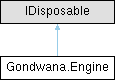
Represents the core game engine singleton responsible for managing the main update loop, input systems, rendering, timing, and subsystem coordination.
More...
|
| void | Initialize (string? configFileName=null, bool? autoSaveConfig=null, IKeyboardAdapter? keyboardAdapter=null, IMouseAdapter? mouseAdapter=null, ITouchAdapter? touchAdapter=null, IGamepadManager< IGamepadAdapter >? gamepadManager=null) |
| | Performs one-time or on-demand initialization of the Engine instance, loading configuration, state files, and input adapters required for execution.
|
| void | InitializeWithConfigurationStore (IEngineConfigurationStore configurationStore, bool? autoSaveConfig=null, IKeyboardAdapter? keyboardAdapter=null, IMouseAdapter? mouseAdapter=null, ITouchAdapter? touchAdapter=null, IGamepadManager< IGamepadAdapter >? gamepadManager=null) |
| | Initializes the engine using a caller-supplied configuration persistence store.
|
| void | SaveConfiguration () |
| | Persists the current engine configuration through the store supplied during initialization.
|
| void | Start () |
| | Starts the Engine using the current thread's SynchronizationContext.
|
| void | Start (SynchronizationContext uiContext) |
| | Starts the Engine main loop using the provided SynchronizationContext, initializing the engine if it has not yet been started.
|
| void | StartTimerDriven (SynchronizationContext uiContext) |
| | Starts the Engine in timer-driven mode using the provided SynchronizationContext, without spawning a background thread.
|
| void | Tick () |
| | Advances the timer-driven engine by one externally presented frame.
|
| void | Stop () |
| | Stops the Engine main loop and halts all ongoing processing.
|
| void | StopAndWait () |
| | Stops the engine and waits for its background cycle to finish before returning. Resources used by rendering can then be released without racing that cycle.
|
| void | Dispose () |
| | Releases all resources used by the Engine and stops all subsystems.
|
|
| static Engine | Instance [get] |
| | Gets the singleton instance of the Engine.
|
| static ILogger< Engine > | Logger [get] |
| | Gets the logger instance used by the engine for diagnostic and informational messages.
|
| Diagnostics.RuntimeProfiler | Profiler = new() [get] |
| | Opt-in runtime CPU measurements and bounded history, independent of CPS notifications.
|
| IUiDispatcher? | UiDispatcher [get] |
| | Gets the UI dispatcher used for marshalling operations to the UI thread.
|
| IEngineDispatcher | EngineDispatcher = new EngineDispatcher() [get] |
| | Gets the engine dispatcher used for marshalling operations to the engine's background thread.
|
| bool | IsInitialized [get] |
| | Gets a value indicating whether the engine has completed its initialization sequence.
|
| bool | IsInitializing [get] |
| | Gets a value indicating whether the engine is currently in the process of initializing.
|
| bool | IsRunning [get] |
| | Gets a value indicating whether the engine's main loop is currently executing.
|
| long | TotalTicksEngineRunning [get] |
| | Gets the total number of high-resolution timer ticks that have elapsed since the engine started.
|
| double | TotalSecondsEngineRunning [get] |
| | Gets the total number of seconds that have elapsed since the engine started.
|
| double | CyclesPerSecond [get] |
| | Gets the current gross cycles per second rate.
|
| double | FramesPerSecond [get] |
| | Gets the current net frames per second rate.
|
| EngineState | State = new EngineState() [get] |
| | Gets the engine's persistent state container for storing arbitrary key-value data.
|
| EngineConfiguration | Configuration [get] |
| | Gets the current engine configuration settings.
|
| EngineManagers | Managers = new() [get] |
| | Gets the collection of resource managers for audio, SVG, sprites, fonts, tilesheets, and direct drawing.
|
| EngineInputSystems | Input = new() [get] |
| | Gets the collection of input subsystems for keyboard, mouse, touch, and gamepad input.
|
| bool | IsDisposed = false [get] |
| | Gets a value indicating whether the engine has been disposed.
|
| bool | IsDisposing [get] |
| | Gets a value indicating whether the engine is currently executing its disposal sequence.
|
Represents the core game engine singleton responsible for managing the main update loop, input systems, rendering, timing, and subsystem coordination.
The Engine class is implemented as a thread-safe singleton and provides centralized access to all major engine subsystems including input polling, scene management, rendering, and collision detection.
Typical usage involves calling Initialize to configure the engine, then Start(SynchronizationContext) to begin the main loop, and finally Stop followed by Dispose for cleanup.
Definition at line 35 of file Engine.cs.
| void Gondwana.Engine.Dispose |
( |
| ) |
|
Releases all resources used by the Engine and stops all subsystems.
This method performs an orderly shutdown of the engine, including:
-
Stopping the main engine loop
-
Waiting for the background thread to exit when disposal is initiated off the engine thread
-
Raising the Disposing event
-
Cleaning up input subsystems
-
Saving configuration changes when automatic saving is enabled
-
Stopping asynchronous logging and flushing queued entries if configured
-
Clearing timers and state
-
Raising the Disposed event
After disposal, the engine instance should not be used. To restart the engine, a new application session is required.
Definition at line 1404 of file Engine.cs.
Performs one-time or on-demand initialization of the Engine instance, loading configuration, state files, and input adapters required for execution.
This method is responsible for preparing all core systems of the engine prior to starting the main loop. It performs the following operations in order:
-
Raises the PreInitialization event (on the UI thread if available).
-
Loads engine configuration settings from file using EngineConfigurationFile.Load.
-
Loads any EngineState files declared in configuration.
-
Initializes input subsystems for keyboard, mouse, and gamepad polling, if corresponding adapters are provided.
-
Raises PostInitialization after all internal setup is complete.
-
Marks the engine as initialized and raises InitializationComplete.
This method is automatically invoked by Start(SynchronizationContext) if the engine has not yet been initialized. It is safe to call multiple times, but subsequent calls will return immediately once initialization has been completed or is in progress.
Thread-safe guarantees:
-
Concurrent calls are prevented by internal
_isInitializing and _isInitialized flags.
-
Events that must run on the UI thread are dispatched through UiDispatcher if available.
- Parameters
-
| configFileName | Optional path to a configuration file to load. If null, the default configuration is used. |
| autoSaveConfig | Optional flag indicating whether configuration changes should be automatically saved back to disk. |
| keyboardAdapter | Optional IKeyboardAdapter instance used to initialize the keyboard input subsystem. |
| mouseAdapter | Optional IMouseAdapter instance used to initialize the mouse input subsystem. |
| touchAdapter | Optional ITouchAdapter instance used to initialize the touch input subsystem. |
| gamepadManager | Optional IGamepadManager<T> instance used to initialize the gamepad subsystem. When null, an already configured EngineInputSystems.GamepadManager is preserved rather than cleared. |
- See also
- Start(SynchronizationContext), Stop, EngineConfiguration, EngineState
| void Gondwana.Engine.Start |
( |
| ) |
|
Starts the Engine using the current thread's SynchronizationContext.
This overload is intended for convenience when starting the engine from the UI thread. It retrieves the current SynchronizationContext and forwards it to Start(SynchronizationContext).
The engine must be started from a thread that has a valid SynchronizationContext, typically the primary UI thread. If no synchronization context is available, an InvalidOperationException is thrown.
- Exceptions
-
| InvalidOperationException | Thrown if SynchronizationContext.Current is null. |
- See also
- Start(SynchronizationContext), Initialize, Stop
Definition at line 460 of file Engine.cs.
| void Gondwana.Engine.Start |
( |
SynchronizationContext | uiContext | ) |
|
Starts the Engine main loop using the provided SynchronizationContext, initializing the engine if it has not yet been started.
This method is the entry point for runtime execution. It ensures the engine is fully initialized before beginning the continuous background processing loop. The loop runs on a separate worker thread and repeatedly invokes Cycle, yielding between iterations to allow cooperative multitasking.
The uiContext argument establishes the UiDispatcher used for posting events and callbacks to the UI thread. All UI-bound events such as PreInitialization, PostInitialization, InitializationComplete, and CPSCalculated will be marshalled through this dispatcher when available.
If the engine is already running, this method returns immediately without taking further action.
Threading behavior:
-
The engine's main loop runs on a background task, not the UI thread.
-
All rendering and timing operations are controlled through Cycle.
-
The UiDispatcher guarantees that event notifications targeting the UI are executed safely on the originating thread.
- Parameters
-
| uiContext | The SynchronizationContext that defines the UI thread context to which UI-related operations and events will be dispatched. |
- Exceptions
-
| InvalidOperationException | Thrown if uiContext is null. |
- See also
- Initialize, Stop, Cycle, UiDispatcher
Definition at line 510 of file Engine.cs.
| void Gondwana.Engine.StartTimerDriven |
( |
SynchronizationContext | uiContext | ) |
|
Starts the Engine in timer-driven mode using the provided SynchronizationContext, without spawning a background thread.
This overload is designed for environments where a background thread is not viable, such as single-threaded WebAssembly (WASM) runtimes. Instead of spawning a Task to drive the loop, it binds the EngineDispatcher to the calling thread and returns immediately. The caller is then responsible for advancing the engine by calling Tick for each presentation opportunity (for example, browser requestAnimationFrame). Each call may perform multiple fixed simulation updates but no more than one foreground render.
Unlike Start(SynchronizationContext), this method will throw if initialization is already in progress, because waiting for it to complete (via ManualResetEventSlim.Wait) is not safe on a single-threaded runtime.
- Parameters
-
| uiContext | The SynchronizationContext that defines the UI thread context to which UI-related operations and events will be dispatched. |
- Exceptions
-
| ArgumentNullException | Thrown if uiContext is null. |
| InvalidOperationException | Thrown if initialization is currently in progress on another thread. |
- See also
- Tick, Start(SynchronizationContext), Stop
Definition at line 593 of file Engine.cs.
| void Gondwana.Engine.Stop |
( |
| ) |
|
Stops the Engine main loop and halts all ongoing processing.
This method cleanly terminates the engine's background execution cycle started by Start(SynchronizationContext). It sets IsRunning to false, signaling the loop in Cycle to exit on the next iteration.
Stop() does not immediately dispose of resources or clear state. It simply halts ongoing updates and rendering, allowing the engine's subsystems (timers, surfaces, input pollers, etc.) to remain intact for later reuse or inspection.
To fully clean up and release all managed resources, call Dispose after stopping the engine.
This method is thread-safe and may be called from any thread.
- See also
- Start(), Cycle, Dispose(), IsRunning
Definition at line 729 of file Engine.cs.
| void Gondwana.Engine.StopAndWait |
( |
| ) |
|
Stops the engine and waits for its background cycle to finish before returning. Resources used by rendering can then be released without racing that cycle.
Call from the hosting thread, outside an engine callback. Timer-driven hosts must stop their platform timer and call this between ticks on the timer's thread. This does not dispose engine state. Unlike Stop, it blocks until an in-flight background cycle completes, even if Stop was already called.
- Exceptions
-
| InvalidOperationException | Called from the active background engine thread. |
Definition at line 751 of file Engine.cs.
| void Gondwana.Engine.Tick |
( |
| ) |
|
Gets the current engine configuration settings.
An EngineConfiguration instance containing all engine settings.
This property provides thread-safe access to the engine's configuration, which is loaded during Initialize from a configuration file or default values.
Configuration settings control behavior such as target frame rate, logging mode, sampling intervals, and other core engine parameters.
Definition at line 927 of file Engine.cs.
| double Gondwana.Engine.CyclesPerSecond |
|
get |
Gets the current gross cycles per second rate.
The number of complete engine cycles executed per second, including throttled cycles.
This metric reflects all simulation updates, regardless of whether a foreground render was performed. In timer-driven mode a single Tick may contribute zero or multiple updates. It represents the update frequency for background tasks such as input polling, timers, and animations.
This value is updated at the interval specified by EngineConfiguration.SamplingTimeForCPS.
Definition at line 872 of file Engine.cs.
| double Gondwana.Engine.FramesPerSecond |
|
get |
Gets the current net frames per second rate.
The number of complete render frames presented per second.
This metric reflects only cycles that resulted in a foreground render operation, as controlled by EngineConfiguration.TargetFPS. It represents the actual visual frame rate delivered to the user.
This value is updated at the interval specified by EngineConfiguration.SamplingTimeForCPS.
Definition at line 891 of file Engine.cs.
Gets the collection of input subsystems for keyboard, mouse, touch, and gamepad input.
An EngineInputSystems instance providing access to all engine input subsystems.
This property provides centralized access to input event pollers and managers for keyboard, mouse, touch, and gamepad devices. Use the nested properties to access specific subsystems such as EngineInputSystems.KeyboardEventPoller, EngineInputSystems.MouseEventPoller, EngineInputSystems.TouchEventPoller, EngineInputSystems.GamepadEventPoller, and EngineInputSystems.GamepadManager.
Input adapters must be provided during Initialize for the corresponding input subsystems to become available.
Definition at line 968 of file Engine.cs.
| bool Gondwana.Engine.IsDisposed = false |
|
get |
Gets a value indicating whether the engine has been disposed.
true if Dispose has completed; otherwise, false.
Once this property is true, the engine instance should not be used further. All managed resources have been released and subsystems have been shut down.
Definition at line 978 of file Engine.cs.
| bool Gondwana.Engine.IsDisposing |
|
get |
Gets a value indicating whether the engine is currently executing its disposal sequence.
true if disposal is in progress; otherwise, false.
This property is set to true at the start of Dispose and can be used by subsystems to detect when cleanup is underway.
Definition at line 988 of file Engine.cs.
| bool Gondwana.Engine.IsInitializing |
|
get |
Gets a value indicating whether the engine is currently in the process of initializing.
true if initialization is in progress; otherwise, false.
This property is true between the start of Initialize and the completion of all initialization steps. It is used to prevent concurrent initialization attempts.
Definition at line 822 of file Engine.cs.
| ILogger<Engine> Gondwana.Engine.Logger |
|
staticget |
Gets the logger instance used by the engine for diagnostic and informational messages.
An ILogger<TCategoryName> instance configured for the Engine type.
This logger is used internally by the engine to report initialization status, errors, warnings, and other runtime information.
Definition at line 59 of file Engine.cs.
Gets the collection of resource managers for audio, SVG, sprites, fonts, tilesheets, and direct drawing.
An EngineManagers instance providing access to all engine resource managers.
This property provides centralized access to subsystem managers responsible for loading and managing various types of game resources. Use the nested properties to access specific managers such as EngineManagers.AudioResources, EngineManagers.SvgResources, EngineManagers.Sprites, EngineManagers.Fonts, EngineManagers.Tilesheets, and EngineManagers.DirectDrawings.
Definition at line 947 of file Engine.cs.
Gets the engine's persistent state container for storing arbitrary key-value data.
An EngineState instance that persists across engine sessions.
The State container provides a convenient mechanism for storing game-specific configuration, player progress, or other persistent data that should survive between application runs.
State can be loaded from and saved to disk using the methods provided by the EngineState class.
Definition at line 908 of file Engine.cs.
| Action? Gondwana.Engine.AfterBackgroundTasksExecute |
Occurs immediately after DoBackgroundTasks(long) has completed.
Use this event to perform custom actions or monitoring after all background updates (timers, input, animations, surface refreshes, etc.) have been processed.
Definition at line 160 of file Engine.cs.
| Action? Gondwana.Engine.AfterFrameRender |
Occurs immediately after DoForegroundTasks(long) completes within each engine cycle.
Use this event to perform logic that depends on a completed render frame, such as post-render effects, profiling, or scheduling background jobs.
Definition at line 182 of file Engine.cs.
| Action? Gondwana.Engine.BeforeBackgroundTasksExecute |
Occurs immediately before DoBackgroundTasks(long) executes within each engine cycle.
Use this event to inject custom background logic such as diagnostics, AI updates, or subsystem polling prior to the engine's own background operations.
Definition at line 149 of file Engine.cs.
| Action? Gondwana.Engine.InitializationComplete |
Occurs after all initialization steps and post-initialization logic have completed.
This event is raised at the end of Initialize, every time the method is called. It signifies that the engine and its subsystems are fully active and ready for runtime operations.
If a UiDispatcher is available, this event is posted to the UI thread; otherwise, it executes on the calling thread.
Definition at line 138 of file Engine.cs.
| Action? Gondwana.Engine.PostInitialization |
Occurs after all internal initialization routines have completed, but before InitializationComplete is raised.
This event is raised once per engine lifetime, following successful configuration loading, state restoration, and adapter setup.
Use this event for post-initialization logic that depends on fully loaded engine settings but precedes runtime activation.
If a UiDispatcher is available, this event is posted to the UI thread; otherwise, it executes on the calling thread.
Definition at line 123 of file Engine.cs.
| Action? Gondwana.Engine.PreInitialization |
Occurs immediately before the engine begins its internal initialization sequence.
This event is raised once per engine lifetime, the first time Initialize is called. It provides an early hook for systems that must perform setup prior to configuration loading or input subsystem initialization.
If a UiDispatcher is available, this event is posted to the UI thread; otherwise, it executes on the calling thread.
Definition at line 103 of file Engine.cs.