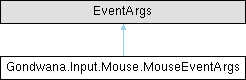
Provides comprehensive data for mouse events, including cursor position (current and previous), button states with transition information, scroll wheel delta, and keyboard modifier states. This event args class is used with mouse input polling to deliver complete mouse state information to event handlers, enabling sophisticated mouse interaction handling including drag operations, modified clicks, and scroll detection.
More...
|
| | MouseEventArgs (MouseEventConfiguration mouseEventConfiguration, KeyboardModifierState currentKeyboardModifiers, IReadOnlyDictionary< MouseButton, MouseButtonState > buttonStates, Point previousPosition, Point currentPosition, int scrollDelta) |
| | Initializes a new instance of the MouseEventArgs class with comprehensive mouse state information including configuration, button states, cursor positions, scroll data, and keyboard modifiers.
|
|
| MouseEventConfiguration | MouseEventConfiguration [get] |
| | Gets the configuration details for the mouse event monitoring, including throttling settings and pause state. This configuration controls how frequently mouse events can be generated and whether event processing is currently active.
|
| KeyboardModifierState | CurrentKeyboardModifiers [get] |
| | Gets the state of keyboard modifier keys (Shift, Ctrl, Alt) at the time this mouse event was generated. This can be a combination of multiple modifiers when keys like Ctrl+Shift are pressed together with mouse actions. Use the convenience properties IsShift, IsCtrl, and IsAlt to check for specific modifiers.
|
| IReadOnlyDictionary< MouseButton, MouseButtonState > | ButtonStates [get] |
| | Gets a read-only dictionary mapping each monitored mouse button to its current state, including whether it is down, was just pressed, or was just released. This provides comprehensive information about all mouse button states and transitions in a single event, enabling handlers to respond to complex multi-button interactions and detect precise press/release moments.
|
| Point | PreviousPosition [get] |
| | Gets the previous position of the mouse cursor before the current polling interval. This position, combined with CurrentPosition, allows calculation of mouse movement delta, which is useful for implementing drag operations, camera controls, and other motion-based interactions.
|
| Point | CurrentPosition [get] |
| | Gets the current position of the mouse cursor at the time this event was generated. This represents the pixel coordinates where the cursor is located and can be compared with PreviousPosition to determine movement direction and distance.
|
| int | ScrollDelta [get] |
| | Gets the accumulated scroll wheel delta since the last poll, measured in implementation-defined units. Positive values indicate upward scrolling (scrolling away from the user), while negative values indicate downward scrolling (scrolling toward the user). The magnitude represents the distance or speed of the scroll. A value of 0 indicates no scrolling occurred.
|
| bool | IsShift [get] |
| | Gets a value indicating whether the Shift modifier key was pressed at the time this mouse event was generated. This is a convenience property that checks if the CurrentKeyboardModifiers flags include KeyboardModifierState.Shift, commonly used for modified mouse operations like multi-selection or alternate drag modes.
|
| bool | IsCtrl [get] |
| | Gets a value indicating whether the Control (Ctrl) modifier key was pressed at the time this mouse event was generated. This is a convenience property that checks if the CurrentKeyboardModifiers flags include KeyboardModifierState.Ctrl, commonly used for modified mouse operations like Ctrl+Click for opening in new tabs or adding to selections.
|
| bool | IsAlt [get] |
| | Gets a value indicating whether the Alt modifier key was pressed at the time this mouse event was generated. This is a convenience property that checks if the CurrentKeyboardModifiers flags include KeyboardModifierState.Alt, commonly used for alternate mouse operations or special drag modes.
|
Provides comprehensive data for mouse events, including cursor position (current and previous), button states with transition information, scroll wheel delta, and keyboard modifier states. This event args class is used with mouse input polling to deliver complete mouse state information to event handlers, enabling sophisticated mouse interaction handling including drag operations, modified clicks, and scroll detection.
◆ MouseEventArgs()
Initializes a new instance of the MouseEventArgs class with comprehensive mouse state information including configuration, button states, cursor positions, scroll data, and keyboard modifiers.
- Parameters
-
| mouseEventConfiguration | The configuration details for mouse event monitoring, including throttling and pause settings. |
| currentKeyboardModifiers | The state of keyboard modifier keys (Shift, Ctrl, Alt) at the time of the mouse event. This can be a combination of multiple modifiers using bitwise flags. |
| buttonStates | A read-only dictionary mapping each mouse button to its current state, including down state and press/release transitions. This provides complete button state information for the event. |
| previousPosition | The previous position of the mouse cursor before this polling interval, used to calculate movement deltas for drag operations and motion tracking. |
| currentPosition | The current position of the mouse cursor at the time of this event, representing where the cursor is currently located in screen or client coordinates. |
| scrollDelta | The accumulated scroll wheel delta since the last poll. Positive values indicate upward scrolling, negative values indicate downward scrolling, and 0 indicates no scrolling occurred. |
◆ ButtonStates
Gets a read-only dictionary mapping each monitored mouse button to its current state, including whether it is down, was just pressed, or was just released. This provides comprehensive information about all mouse button states and transitions in a single event, enabling handlers to respond to complex multi-button interactions and detect precise press/release moments.
◆ CurrentKeyboardModifiers
Gets the state of keyboard modifier keys (Shift, Ctrl, Alt) at the time this mouse event was generated. This can be a combination of multiple modifiers when keys like Ctrl+Shift are pressed together with mouse actions. Use the convenience properties IsShift, IsCtrl, and IsAlt to check for specific modifiers.
◆ CurrentPosition
| Point Gondwana.Input.Mouse.MouseEventArgs.CurrentPosition |
|
get |
Gets the current position of the mouse cursor at the time this event was generated. This represents the pixel coordinates where the cursor is located and can be compared with PreviousPosition to determine movement direction and distance.
◆ IsAlt
| bool Gondwana.Input.Mouse.MouseEventArgs.IsAlt |
|
get |
Gets a value indicating whether the Alt modifier key was pressed at the time this mouse event was generated. This is a convenience property that checks if the CurrentKeyboardModifiers flags include KeyboardModifierState.Alt, commonly used for alternate mouse operations or special drag modes.
◆ IsCtrl
| bool Gondwana.Input.Mouse.MouseEventArgs.IsCtrl |
|
get |
Gets a value indicating whether the Control (Ctrl) modifier key was pressed at the time this mouse event was generated. This is a convenience property that checks if the CurrentKeyboardModifiers flags include KeyboardModifierState.Ctrl, commonly used for modified mouse operations like Ctrl+Click for opening in new tabs or adding to selections.
◆ IsShift
| bool Gondwana.Input.Mouse.MouseEventArgs.IsShift |
|
get |
Gets a value indicating whether the Shift modifier key was pressed at the time this mouse event was generated. This is a convenience property that checks if the CurrentKeyboardModifiers flags include KeyboardModifierState.Shift, commonly used for modified mouse operations like multi-selection or alternate drag modes.
◆ MouseEventConfiguration
Gets the configuration details for the mouse event monitoring, including throttling settings and pause state. This configuration controls how frequently mouse events can be generated and whether event processing is currently active.
◆ PreviousPosition
| Point Gondwana.Input.Mouse.MouseEventArgs.PreviousPosition |
|
get |
Gets the previous position of the mouse cursor before the current polling interval. This position, combined with CurrentPosition, allows calculation of mouse movement delta, which is useful for implementing drag operations, camera controls, and other motion-based interactions.
◆ ScrollDelta
| int Gondwana.Input.Mouse.MouseEventArgs.ScrollDelta |
|
get |
Gets the accumulated scroll wheel delta since the last poll, measured in implementation-defined units. Positive values indicate upward scrolling (scrolling away from the user), while negative values indicate downward scrolling (scrolling toward the user). The magnitude represents the distance or speed of the scroll. A value of 0 indicates no scrolling occurred.