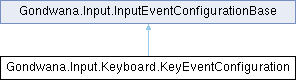
Represents the configuration for keyboard key events, including key identification and timing controls for event throttling. This configuration is used to control how frequently key events are raised and whether event processing is currently paused for a specific key.
More...
|
| | KeyEventConfiguration (string key, double secondsBetweenEvents=0, bool isPaused=false) |
| | Initializes a new instance of the KeyEventConfiguration class with the specified key identifier and event timing settings.
|
| override string | ToString () |
| | Returns a string representation of this key event configuration, including the key identifier, throttling interval, and pause state. This is useful for debugging and logging purposes.
|
|
| string | Key [get] |
| | Gets the identifier of the keyboard key associated with this configuration. This can be a key name such as "A", "Enter", "ArrowUp", "Escape", "Space", or any other platform-specific key identifier. The exact format depends on the keyboard adapter implementation but typically uses human-readable key names for display and debugging purposes.
|
| double | TimeBetweenEvents [get, set] |
| | Gets or sets the minimum time interval in seconds that must elapse between consecutive events. This property controls the throttling rate for input events, preventing excessive event generation from high-frequency input sources. The value is stored internally as high-resolution ticks for precise timing calculations.
|
| bool | IsPaused = false [get, set] |
| | Gets or sets a value indicating whether event processing is currently paused. When set to true, events will not be raised even if input occurs and timing conditions are met. This property provides a convenient way to temporarily disable input event generation without removing or reconfiguring the event monitoring setup, useful for modal dialogs, cutscenes, or transitioning between game states.
|
Represents the configuration for keyboard key events, including key identification and timing controls for event throttling. This configuration is used to control how frequently key events are raised and whether event processing is currently paused for a specific key.
◆ KeyEventConfiguration()
| Gondwana.Input.Keyboard.KeyEventConfiguration.KeyEventConfiguration |
( |
string | key, |
|
|
double | secondsBetweenEvents = 0, |
|
|
bool | isPaused = false ) |
Initializes a new instance of the KeyEventConfiguration class with the specified key identifier and event timing settings.
- Parameters
-
| key | The identifier of the keyboard key (e.g., "A", "Enter", "ArrowUp", "Escape"). This value is used to identify the key in event data and for display purposes. The format should match the key naming convention used by the keyboard adapter. |
| secondsBetweenEvents | The minimum time interval in seconds that must elapse between consecutive events for this key. Use this to throttle rapid key presses or key repeat events. A value of 0 means no throttling is applied, and events will be generated as frequently as the key state changes or repeats. Default is 0. |
| isPaused | A value indicating whether event processing for this key is initially paused. When paused, the key will not generate events even if pressed or held down. This is useful for temporarily disabling specific key bindings without removing their configuration. Default is false. |
◆ ToString()
| override string Gondwana.Input.Keyboard.KeyEventConfiguration.ToString |
( |
| ) |
|
Returns a string representation of this key event configuration, including the key identifier, throttling interval, and pause state. This is useful for debugging and logging purposes.
- Returns
- A string in the format "KeyEventConfiguration: Key={Key}, TimeBetweenEvents={TimeBetweenEvents}, IsPaused={IsPaused}" providing a human-readable summary of the configuration state.
◆ Key
| string Gondwana.Input.Keyboard.KeyEventConfiguration.Key |
|
get |
Gets the identifier of the keyboard key associated with this configuration. This can be a key name such as "A", "Enter", "ArrowUp", "Escape", "Space", or any other platform-specific key identifier. The exact format depends on the keyboard adapter implementation but typically uses human-readable key names for display and debugging purposes.