Gondwana Game Engine
Gondwana is a cross-platform 2.5D game and rendering engine written in C#/.NET 8. It provides fine-grained control over rendering, timing, and scene composition, with built-in support for parallax, z-ordering, pixel overhang, collision detection, and particle effects. Gondwana targets desktop, mobile, and web platforms using SkiaSharp for graphics and NAudio for sound.
Loading...
Searching...
No Matches
Gondwana.Assets.AssetsFile Class Referencesealed

Represents a asset file used by the engine, providing functionality to load, manage, and save assets. More...

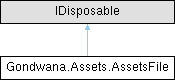
Inheritance diagram for Gondwana.Assets.AssetsFile:

Public Member Functions

void Add (AssetTypes type, string name, Func< Stream > streamFactory)
 Adds a asset file entry to the collection with the specified type, name, and stream factory.
void Add (AssetTypes type, string filePath)
 Adds a asset file to the engine with the specified type and file path.
void Remove (AssetTypes type, string name)
 Removes the specified asset file entry from the collection.
Stream? Get (AssetTypes type, string name)
 Retrieves a stream for the specified asset type and name.
IEnumerable< AssetsFileEntryGetAllEntries ()
 Retrieves all entries from the asset file.
void Save ()
 Saves the current set of entries to a zip file at the specified file path.
void Dispose ()
 Releases all resources used by the AssetsFile instance.

Static Public Member Functions

static void ClearAll ()
 Releases all assets held by the application and clears the internal collection of asset files.
static AssetsFile LoadOrCreate (string path, string? password=null, bool encrypt=false)
 Loads an existing asset file from the specified path or creates a new one if the file does not exist.

Properties

static IReadOnlyList< AssetsFileAllAssetsFiles [get]
 Gets a read-only list of all instantiated AssetsFile instances."/>
string FilePath = string.Empty [get]
 Gets the file path associated with the current instance.
string? Password = null [get]
 Gets the password associated with the current instance.
bool UseEncryption = false [get]
 Gets a value indicating whether encryption is enabled for the current operation.
Stream? this[AssetTypes type, string name] [get]
 Gets the stream associated with the specified asset type and name.

Detailed Description

Represents a asset file used by the engine, providing functionality to load, manage, and save assets.

The AssetsFile class allows for the creation, loading, and management of asset files used by the engine. It supports encryption, asset retrieval by type and name, and saving assets to a zip file. Instances of this class are tracked globally and can be accessed via the static AllAssetsFiles property.

Member Function Documentation

◆ Add() [1/2]

void Gondwana.Assets.AssetsFile.Add ( AssetTypes type,
string filePath )

Adds a asset file to the engine with the specified type and file path.

This method associates the asset file with the specified type and prepares it for use by the engine. The file is identified by its name, derived from the file path without the extension.

Parameters
typeThe type of the asset file to add.
filePathThe full path to the asset file. Must not be null or empty.

◆ Add() [2/2]

void Gondwana.Assets.AssetsFile.Add ( AssetTypes type,
string name,
Func< Stream > streamFactory )

Adds a asset file entry to the collection with the specified type, name, and stream factory.

If an entry with the same type and name already exists, it will be replaced with the new stream factory.

Parameters
typeThe type of the asset file to add.
nameThe name of the asset file to add. Cannot be null or empty.
streamFactoryA factory method that provides a Stream for the asset file. The factory is invoked when the asset is accessed.

◆ ClearAll()

void Gondwana.Assets.AssetsFile.ClearAll ( )
static

Releases all assets held by the application and clears the internal collection of asset files.

This method disposes of all asset files currently tracked by the application. After calling this method, the internal collection of asset files will be empty. Ensure that no further operations are performed on the disposed assets.

◆ Dispose()

void Gondwana.Assets.AssetsFile.Dispose ( )

Releases all resources used by the AssetsFile instance.

This method closes the underlying zip file, clears the loaded state, and removes this instance from the global collection of asset files. After calling this method, the instance should not be used further.

◆ Get()

Stream? Gondwana.Assets.AssetsFile.Get ( AssetTypes type,
string name )

Retrieves a stream for the specified asset type and name.

The method returns a stream that allows access to the asset data. Ensure that the asset type and name provided match an existing entry. If no matching asset is found, the method returns null.

Parameters
typeThe type of the asset to retrieve.
nameThe name of the asset to retrieve.
Returns
A Stream containing the asset data if the asset is found; otherwise, null.

◆ GetAllEntries()

IEnumerable< AssetsFileEntry > Gondwana.Assets.AssetsFile.GetAllEntries ( )

Retrieves all entries from the asset file.

This method ensures that the asset file is loaded before returning the entries.

Returns
An IEnumerable<T> containing all entries in the asset file.

◆ LoadOrCreate()

AssetsFile Gondwana.Assets.AssetsFile.LoadOrCreate ( string path,
string? password = null,
bool encrypt = false )
static

Loads an existing asset file from the specified path or creates a new one if the file does not exist.

Parameters
pathThe file path of the asset file to load or create. Cannot be null, empty, or whitespace.
passwordAn optional password used to secure the asset file. Can be null if no password is required.
encryptA value indicating whether the asset file should use encryption. Defaults to false.
Returns
An AssetsFile instance representing the loaded or newly created asset file.
Exceptions
ArgumentExceptionThrown if path is null, empty, or consists only of whitespace.

◆ Remove()

void Gondwana.Assets.AssetsFile.Remove ( AssetTypes type,
string name )

Removes the specified asset file entry from the collection.

This method removes the asset file entry identified by the specified type and name from the internal collection. If the entry does not exist, no action is taken.

Parameters
typeThe type of the asset file to remove.
nameThe name of the asset file to remove. Cannot be null or empty.

◆ Save()

void Gondwana.Assets.AssetsFile.Save ( )

Saves the current set of entries to a zip file at the specified file path.

This method creates a zip archive containing all entries currently stored in the collection. If a password is provided, the zip file will be encrypted using AES-256 encryption. The method clears the current entries after saving and reloads the zip file to ensure consistency.

Property Documentation

◆ AllAssetsFiles

IReadOnlyList<AssetsFile> Gondwana.Assets.AssetsFile.AllAssetsFiles
staticget

Gets a read-only list of all instantiated AssetsFile instances."/>

◆ FilePath

string Gondwana.Assets.AssetsFile.FilePath = string.Empty
get

Gets the file path associated with the current instance.

◆ Password

string? Gondwana.Assets.AssetsFile.Password = null
get

Gets the password associated with the current instance.

◆ this[AssetTypes type, string name]

Stream? Gondwana.Assets.AssetsFile.this[AssetTypes type, string name]
get

Gets the stream associated with the specified asset type and name.

Use this indexer to access assets by specifying their type and name. If the asset does not exist, the indexer returns null.

Parameters
typeThe type of the asset file to retrieve.
nameThe name of the asset within the specified type.
Returns

◆ UseEncryption

bool Gondwana.Assets.AssetsFile.UseEncryption = false
get

Gets a value indicating whether encryption is enabled for the current operation.