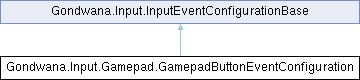
Represents the configuration for gamepad button events, including button identification and timing controls for event throttling. This configuration is used to control how frequently button events are raised and whether event processing is currently paused.
More...
|
| string | Button [get] |
| | Gets the identifier of the gamepad button associated with this configuration. This typically corresponds to standard gamepad button names such as "A", "B", "X", "Y", "Start", "Back", or directional pad buttons.
|
| double | TimeBetweenEvents [get, set] |
| | Gets or sets the minimum time interval in seconds that must elapse between consecutive events. This property controls the throttling rate for input events, preventing excessive event generation from high-frequency input sources. The value is stored internally as high-resolution ticks for precise timing calculations.
|
| bool | IsPaused = false [get, set] |
| | Gets or sets a value indicating whether event processing is currently paused. When set to true, events will not be raised even if input occurs and timing conditions are met. This property provides a convenient way to temporarily disable input event generation without removing or reconfiguring the event monitoring setup, useful for modal dialogs, cutscenes, or transitioning between game states.
|
Represents the configuration for gamepad button events, including button identification and timing controls for event throttling. This configuration is used to control how frequently button events are raised and whether event processing is currently paused.
Definition at line 8 of file GamepadButtonEventConfiguration.cs.
◆ GamepadButtonEventConfiguration()
| Gondwana.Input.Gamepad.GamepadButtonEventConfiguration.GamepadButtonEventConfiguration |
( |
string | button, |
|
|
double | secondsBetweenEvents = 0, |
|
|
bool | isPaused = false ) |
Initializes a new instance of the GamepadButtonEventConfiguration class with the specified button identifier and event timing settings.
- Parameters
-
| button | The identifier of the gamepad button (e.g., "A", "B", "X", "Y", "Start", "Back"). This value is used to associate the configuration with a specific physical button on the gamepad. |
| secondsBetweenEvents | The minimum time interval in seconds that must elapse between consecutive events for this button. Use this to throttle rapid button presses. A value of 0 means no throttling is applied. Default is 0. |
| isPaused | A value indicating whether event processing for this button is initially paused. When paused, the button will not generate events even if pressed. Default is false. |
Definition at line 34 of file GamepadButtonEventConfiguration.cs.
◆ Button
| string Gondwana.Input.Gamepad.GamepadButtonEventConfiguration.Button |
|
get |
Gets the identifier of the gamepad button associated with this configuration. This typically corresponds to standard gamepad button names such as "A", "B", "X", "Y", "Start", "Back", or directional pad buttons.
Definition at line 15 of file GamepadButtonEventConfiguration.cs.