Gondwana Game Engine Development (master) - 2.6.1
Gondwana is a cross-platform 2.5D game and rendering engine written in C#/.NET 8. It provides fine-grained control over rendering, timing, and scene composition, with built-in support for parallax, z-ordering, pixel overhang, collision detection, and particle effects. Gondwana targets desktop and web platforms using SkiaSharp for graphics and pluggable audio backends for desktop and browser targets.
Loading...
Searching...
No Matches
Gondwana.Physics.Movement.MovementController Class Referencesealed

Central controller responsible for managing all movement modes for a single IMovable object. Combines three systems:

  • Follow – hard/soft following of pixel or grid targets.
  • Scripted – tween or constant-speed motion toward a destination.
  • Integrated – free physics-style integration (velocity and acceleration).

The controller automatically selects the correct behavior each frame internally through AdvanceMovement(float). More...

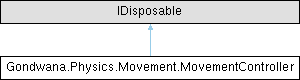
Inheritance diagram for Gondwana.Physics.Movement.MovementController:

Public Member Functions

void StopAllMovement ()
 Immediately stops all forms of movement — follow, scripted, and integrated. Cancels active scripted movement, clears follow behavior, clears velocity and acceleration, and halts motion this frame.
void Dispose ()
 Releases resources and detaches all event handlers.
void FollowPixelSoft (Func< Vector2 > getPixelPos, float speed, float snap=0.5f, Vector2 offsetPx=default)
 Start following a pixel-space target at a constant speed. The speed and snap units are interpreted in the follower's position space:

  • Pixel follower → pixels/sec and pixels
  • Grid follower → tiles/sec and tiles

void FollowPixelSoft (Func< Vector2 > getPixelPos, float durationSec, Func< float, float >? easing=null, float snap=0.5f, Vector2 offsetPx=default)
 Start following a pixel-space target using a duration-based tween (easing). When easing is active, speed fields are ignored. The snap value is interpreted in the follower's space at runtime:

  • Pixel follower uses snap as pixels.
  • Grid follower treats snap as tiles (internally mapped).

void FollowPixelSoft (Func< Vector2 > getPixelPos, float durationSec, EasingKind easingKind, float snap=0.5f, Vector2 offsetPx=default)
 Start following a pixel-space target using a duration-based tween (easing). When easing is active, speed fields are ignored. The snap value is interpreted in the follower's space at runtime:

  • Pixel follower uses snap as pixels.
  • Grid follower treats snap as tiles (internally mapped).

void FollowPixelHard (Func< Vector2 > getPixelPos, Vector2 offsetPx=default)
 Hard-follow a pixel-space target. The follower snaps directly to the target every update (no tweening, no speed). An optional pixel offset is applied only for pixel-space followers.
void FollowTileSoft (IMovableOnSceneLayer tileTarget, float speedTilesPerSec, float snapTiles=0.25f, Vector2 gridOffset=default, Vector2 pixelOffset=default)
 Start following a grid (tile) target at a constant speed (tiles/sec). If the follower is pixel-space, an additional pixel offset can be applied after the grid→pixel conversion.
void FollowTileSoft (IMovableOnSceneLayer tileTarget, float durationSec, Func< float, float >? easing=null, float snap=0.5f, Vector2 gridOffset=default, Vector2 pixelOffset=default)
 Start following a grid (tile) target using a duration-based tween (easing). When easing is active, speed fields are ignored. Snap tolerance is stored for both pixel and tile spaces; the runtime branch uses the follower's space.
void FollowTileSoft (IMovableOnSceneLayer tileTarget, float durationSec, EasingKind easingKind, float snap=0.5f, Vector2 gridOffset=default, Vector2 pixelOffset=default)
 Convenience overload of FollowTileSoft(IMovableOnSceneLayer, float, Func<float, float>?, float, Vector2, Vector2) that specifies the easing curve via EasingKind.
void FollowTileHard (IMovableOnSceneLayer tileTarget, Vector2 gridOffset=default, Vector2 pixelOffset=default)
 Hard-follow a grid (tile) target. The follower snaps directly to the target grid coordinate each update (no tweening, no speed). If the follower is pixel-space, pixelOffset is applied after grid→pixel conversion.
void Unfollow ()
 Stop following any target and clear all follow/tween state (targets, speeds, offsets, easing, hard mode). Any in-flight scripted/tweened movement is cancelled immediately.
void SetVelocity (Vector2 velocity)
 Sets the velocity of the object.
void SetAcceleration (Vector2 acceleration)
 Sets the acceleration of the object.
void SetMaxSpeed (float? maxSpeed)
 Sets the maximum speed for the current state. Only applies to integrated movement.
void SetLinearDamping (float dampingPerSec)
 Sets the linear damping value, which determines the rate at which linear motion is reduced over time.
MovementController OnBeginning (Action callback)
 Invokes a callback for the currently active scripted movement.
MovementController OnBeginning (Action< ScriptedMovement > callback)
 Invokes a callback for the currently active scripted movement.
MovementController OnComplete (Action callback)
 Registers a callback to invoke when the currently active scripted movement completes normally.
MovementController OnComplete (Action< ScriptedMovement > callback)
 Registers a callback to invoke when the currently active scripted movement completes normally.
MovementController MoveTo (Vector2 target, float durationSec, Func< float, float >? easing=null, float snapEpsilon=0.5f)
 Begins a scripted tween toward the specified target position over a fixed duration. This method interpolates linearly or with an optional easing function from the mover's current position to the target, replacing any existing scripted movement and clearing physics-based movement.
MovementController MoveTo (Vector2 target, float seconds, EasingKind easingKind, float snapEpsilon=0.5f)
 Begins a scripted tween toward the specified target position over a fixed duration, using a predefined EasingKind curve.
MovementController MoveBy (Vector2 delta, float durationSec, Func< float, float >? easing=null, float snapEpsilon=0.5f)
 Begins scripted relative motion by a delta over a fixed duration with optional easing. Interprets delta in the mover's position space.
MovementController MoveBy (Vector2 delta, float durationSec, EasingKind easingKind, float snapEpsilon=0.5f)
 Begins scripted relative motion by a delta over a fixed duration using an easing preset.
MovementController MoveBy (Vector2 delta, float speedPerSec, float snapEpsilon=0.5f)
 Begins scripted relative motion by a delta at a constant speed.
MovementController MoveToward (Vector2 target, float speedPerSec, float snapEpsilon=0.5f)
 Begins scripted motion toward the specified target position at a constant speed.
void CancelScript ()
 Cancels any active scripted movement and clears the current script state. Raises ScriptedMovementStopped if a script was active. Registered completion callbacks are discarded without being invoked.

Properties

MovementState MovementState [get]
 Gets the current MovementState containing velocity, acceleration, and motion flags for the controlled object.
bool IsFollowing [get]
 Indicates whether the controller is currently engaged in a follow behavior. Returns true if a pixel or grid target is set, or if hard follow is active.
bool IsScripted [get]
 Indicates whether a scripted movement (tween or MoveToward) is currently active.
bool IsIntegratedActive [get]
 Indicates whether physics-style integration is currently active. Returns true when the controller is not following or scripted, and MovementState.HasMotion is true.
bool WrapX [get, set]
 Enables or disables horizontal world wrapping. When enabled, movement crossing the left/right edges wraps the IMovable to the opposite side. Only meaningful for Grid space; ignored for Pixel space.
bool WrapY [get, set]
 Enables or disables vertical world wrapping. When enabled, movement crossing the top/bottom edges wraps the IMovable to the opposite side. Only meaningful for Grid space; ignored for Pixel space.

Events

Action< ScriptedMovement >? ScriptedMovementStarted
 Raised when a scripted movement (tween or MoveToward) begins. Subscribers are notified exactly once per script initialization.
Action< ScriptedMovement >? ScriptedMovementStopped
 Raised when a scripted movement (tween or MoveToward) completes or is explicitly cancelled. Subscribers are notified exactly once per script termination.

Detailed Description

Central controller responsible for managing all movement modes for a single IMovable object. Combines three systems:

  • Follow – hard/soft following of pixel or grid targets.
  • Scripted – tween or constant-speed motion toward a destination.
  • Integrated – free physics-style integration (velocity and acceleration).

The controller automatically selects the correct behavior each frame internally through AdvanceMovement(float).

Partial class containing scripted and tween-based movement methods.

Partial class containing integrated velocity and acceleration movement methods.

Partial class containing target-follow movement methods.

Definition at line 19 of file MovementController.cs.

Member Function Documentation

◆ CancelScript()

void Gondwana.Physics.Movement.MovementController.CancelScript ( )

Cancels any active scripted movement and clears the current script state. Raises ScriptedMovementStopped if a script was active. Registered completion callbacks are discarded without being invoked.

Definition at line 327 of file MovementController.Scripted.cs.

◆ Dispose()

void Gondwana.Physics.Movement.MovementController.Dispose ( )

Releases resources and detaches all event handlers.

Definition at line 150 of file MovementController.cs.

◆ FollowPixelHard()

void Gondwana.Physics.Movement.MovementController.FollowPixelHard ( Func< Vector2 > getPixelPos,
Vector2 offsetPx = default )

Hard-follow a pixel-space target. The follower snaps directly to the target every update (no tweening, no speed). An optional pixel offset is applied only for pixel-space followers.

Parameters
getPixelPosDelegate that returns the current target position in pixels each frame.
offsetPxOptional additional pixel offset applied only when the follower is in pixel space.
Exceptions
ArgumentNullExceptionThrown when getPixelPos is null.

Definition at line 163 of file MovementController.Follow.cs.

◆ FollowPixelSoft() [1/3]

void Gondwana.Physics.Movement.MovementController.FollowPixelSoft ( Func< Vector2 > getPixelPos,
float durationSec,
EasingKind easingKind,
float snap = 0::5f,
Vector2 offsetPx = default )

Start following a pixel-space target using a duration-based tween (easing). When easing is active, speed fields are ignored. The snap value is interpreted in the follower's space at runtime:

  • Pixel follower uses snap as pixels.
  • Grid follower treats snap as tiles (internally mapped).

Parameters
getPixelPosDelegate that returns the current target position in pixels each frame.
durationSecTween duration in seconds. Must be > 0.
easingKindNamed easing preset.
snapArrival tolerance; interpreted in the follower's space at runtime.
offsetPxOptional additional pixel offset for pixel-space followers.
Exceptions
ArgumentNullExceptionThrown when getPixelPos is null.
ArgumentOutOfRangeExceptionThrown when durationSec ≤ 0.

Definition at line 146 of file MovementController.Follow.cs.

◆ FollowPixelSoft() [2/3]

void Gondwana.Physics.Movement.MovementController.FollowPixelSoft ( Func< Vector2 > getPixelPos,
float durationSec,
Func< float, float >? easing = null,
float snap = 0::5f,
Vector2 offsetPx = default )

Start following a pixel-space target using a duration-based tween (easing). When easing is active, speed fields are ignored. The snap value is interpreted in the follower's space at runtime:

  • Pixel follower uses snap as pixels.
  • Grid follower treats snap as tiles (internally mapped).

Parameters
getPixelPosDelegate that returns the current target position in pixels each frame.
durationSecTween duration in seconds. Must be > 0.
easingOptional easing function in the range [0,1]→[0,1]. If null, linear easing is used.
snapArrival tolerance; interpreted in the follower's space at runtime (pixels for pixel followers, tiles for grid followers).
offsetPxOptional additional pixel offset when the follower is pixel-space (ignored for grid followers).
Exceptions
ArgumentNullExceptionThrown when getPixelPos is null.
ArgumentOutOfRangeExceptionThrown when durationSec ≤ 0.

Definition at line 96 of file MovementController.Follow.cs.

◆ FollowPixelSoft() [3/3]

void Gondwana.Physics.Movement.MovementController.FollowPixelSoft ( Func< Vector2 > getPixelPos,
float speed,
float snap = 0::5f,
Vector2 offsetPx = default )

Start following a pixel-space target at a constant speed. The speed and snap units are interpreted in the follower's position space:

  • Pixel follower → pixels/sec and pixels
  • Grid follower → tiles/sec and tiles

Parameters
getPixelPosDelegate that returns the current target position in pixels (screen/world pixels) each frame.
speedFollow speed (pixels/sec for pixel followers; tiles/sec for grid followers). Must be > 0.
snapSnap/arrival tolerance (pixels for pixel followers; tiles for grid followers). Values < 0 are clamped to 0.
offsetPxOptional additional pixel offset applied only when the follower is in pixel space (ignored for grid followers).
Exceptions
ArgumentNullExceptionThrown when getPixelPos is null.
ArgumentOutOfRangeExceptionThrown when speed ≤ 0.

Definition at line 45 of file MovementController.Follow.cs.

◆ FollowTileHard()

void Gondwana.Physics.Movement.MovementController.FollowTileHard ( IMovableOnSceneLayer tileTarget,
Vector2 gridOffset = default,
Vector2 pixelOffset = default )

Hard-follow a grid (tile) target. The follower snaps directly to the target grid coordinate each update (no tweening, no speed). If the follower is pixel-space, pixelOffset is applied after grid→pixel conversion.

Parameters
tileTargetThe grid-anchored target to follow.
gridOffsetOptional tile offset applied to the target's grid coordinate.
pixelOffsetOptional pixel offset applied only when the follower is pixel-space.
Exceptions
ArgumentNullExceptionThrown when tileTarget is null.

Definition at line 294 of file MovementController.Follow.cs.

◆ FollowTileSoft() [1/3]

void Gondwana.Physics.Movement.MovementController.FollowTileSoft ( IMovableOnSceneLayer tileTarget,
float durationSec,
EasingKind easingKind,
float snap = 0::5f,
Vector2 gridOffset = default,
Vector2 pixelOffset = default )

Convenience overload of FollowTileSoft(IMovableOnSceneLayer, float, Func<float, float>?, float, Vector2, Vector2) that specifies the easing curve via EasingKind.

Parameters
tileTargetThe grid-anchored target to follow.
durationSecTween duration in seconds. Must be > 0.
easingKindNamed easing preset.
snapArrival tolerance; applied in the follower's space at runtime.
gridOffsetOptional tile offset added to the target's grid coordinate.
pixelOffsetOptional pixel offset applied only when the follower is pixel-space.
Exceptions
ArgumentNullExceptionThrown when tileTarget is null.
ArgumentOutOfRangeExceptionThrown when durationSec ≤ 0.

Definition at line 274 of file MovementController.Follow.cs.

◆ FollowTileSoft() [2/3]

void Gondwana.Physics.Movement.MovementController.FollowTileSoft ( IMovableOnSceneLayer tileTarget,
float durationSec,
Func< float, float >? easing = null,
float snap = 0::5f,
Vector2 gridOffset = default,
Vector2 pixelOffset = default )

Start following a grid (tile) target using a duration-based tween (easing). When easing is active, speed fields are ignored. Snap tolerance is stored for both pixel and tile spaces; the runtime branch uses the follower's space.

Parameters
tileTargetThe grid-anchored target to follow.
durationSecTween duration in seconds. Must be > 0.
easingOptional easing function in the range [0,1]→[0,1]. If null, linear easing is used.
snapArrival tolerance; applied in the follower's space at runtime.
gridOffsetOptional tile offset added to the target's grid coordinate.
pixelOffsetOptional pixel offset applied only when the follower is pixel-space.
Exceptions
ArgumentNullExceptionThrown when tileTarget is null.
ArgumentOutOfRangeExceptionThrown when durationSec ≤ 0.

Definition at line 230 of file MovementController.Follow.cs.

◆ FollowTileSoft() [3/3]

void Gondwana.Physics.Movement.MovementController.FollowTileSoft ( IMovableOnSceneLayer tileTarget,
float speedTilesPerSec,
float snapTiles = 0::25f,
Vector2 gridOffset = default,
Vector2 pixelOffset = default )

Start following a grid (tile) target at a constant speed (tiles/sec). If the follower is pixel-space, an additional pixel offset can be applied after the grid→pixel conversion.

Parameters
tileTargetThe grid-anchored target to follow (must expose SceneLayer and grid position).
speedTilesPerSecFollow speed in tiles per second. Must be > 0.
snapTilesTile-space arrival tolerance; values < 0 are clamped to 0.
gridOffsetOptional tile offset applied to the target's grid coordinate before conversion.
pixelOffsetOptional pixel offset applied only when the follower is pixel-space.
Exceptions
ArgumentNullExceptionThrown when tileTarget is null.
ArgumentOutOfRangeExceptionThrown when speedTilesPerSec ≤ 0.

Definition at line 191 of file MovementController.Follow.cs.

◆ MoveBy() [1/3]

MovementController Gondwana.Physics.Movement.MovementController.MoveBy ( Vector2 delta,
float durationSec,
EasingKind easingKind,
float snapEpsilon = 0::5f )

Begins scripted relative motion by a delta over a fixed duration using an easing preset.

Parameters
deltaThe offset by which to move, relative to the mover's current position. Units are in the mover's position space.
durationSecThe total duration of the motion in seconds.
easingKindThe predefined easing curve to apply during the motion.
snapEpsilonThe distance threshold at which the motion snaps to the goal and completes.
Returns
The current movement controller for fluent configuration.

Definition at line 243 of file MovementController.Scripted.cs.

◆ MoveBy() [2/3]

MovementController Gondwana.Physics.Movement.MovementController.MoveBy ( Vector2 delta,
float durationSec,
Func< float, float >? easing = null,
float snapEpsilon = 0::5f )

Begins scripted relative motion by a delta over a fixed duration with optional easing. Interprets delta in the mover's position space.

Parameters
deltaThe offset by which to move, relative to the mover's current position. Units are in the mover's position space.
durationSecThe total duration of the motion in seconds.
easingOptional easing function that determines interpolation over time. If null, the motion is linear.
snapEpsilonThe distance threshold at which the motion snaps to the goal and completes.
Returns
The current movement controller for fluent configuration.

Definition at line 208 of file MovementController.Scripted.cs.

◆ MoveBy() [3/3]

MovementController Gondwana.Physics.Movement.MovementController.MoveBy ( Vector2 delta,
float speedPerSec,
float snapEpsilon = 0::5f )

Begins scripted relative motion by a delta at a constant speed.

Parameters
deltaThe offset by which to move, relative to the mover's current position. Units are in the mover's position space.
speedPerSecThe movement speed in position-space units per second.
snapEpsilonThe distance threshold at which the motion snaps to the goal and completes.
Returns
The current movement controller for fluent configuration.

Definition at line 274 of file MovementController.Scripted.cs.

◆ MoveTo() [1/2]

MovementController Gondwana.Physics.Movement.MovementController.MoveTo ( Vector2 target,
float durationSec,
Func< float, float >? easing = null,
float snapEpsilon = 0::5f )

Begins a scripted tween toward the specified target position over a fixed duration. This method interpolates linearly or with an optional easing function from the mover's current position to the target, replacing any existing scripted movement and clearing physics-based movement.

Parameters
targetThe absolute destination position.
durationSecThe total tween duration in seconds. Values less than 0 are clamped to 0.
easingOptional easing function mapping normalized time [0,1] → [0,1]. If null, linear easing is used.
snapEpsilonThe arrival tolerance. When the mover is within this distance of the target, the tween completes early. Values less than 0 are clamped to 0.
Returns
The current movement controller for fluent configuration.

Definition at line 133 of file MovementController.Scripted.cs.

◆ MoveTo() [2/2]

MovementController Gondwana.Physics.Movement.MovementController.MoveTo ( Vector2 target,
float seconds,
EasingKind easingKind,
float snapEpsilon = 0::5f )

Begins a scripted tween toward the specified target position over a fixed duration, using a predefined EasingKind curve.

Parameters
targetThe absolute destination position.
secondsThe tween duration in seconds. Values less than 0 are clamped to 0.
easingKindThe built-in easing preset to apply.
snapEpsilonThe arrival tolerance. When the mover is within this distance of the target, the tween completes early.
Returns
The current movement controller for fluent configuration.

Definition at line 171 of file MovementController.Scripted.cs.

◆ MoveToward()

MovementController Gondwana.Physics.Movement.MovementController.MoveToward ( Vector2 target,
float speedPerSec,
float snapEpsilon = 0::5f )

Begins scripted motion toward the specified target position at a constant speed.

Unlike MoveTo(Vector2, float, Func<float, float>?, float), this motion continues each frame until the target is reached or cancelled, rather than running for a fixed duration.

Parameters
targetThe absolute destination position.
speedPerSecThe movement speed per second. Values less than 0 are clamped to 0.
snapEpsilonThe arrival tolerance. When the mover is within this distance of the target, motion completes early. Values less than 0 are clamped to 0.
Returns
The current movement controller for fluent configuration.

Definition at line 308 of file MovementController.Scripted.cs.

◆ OnBeginning() [1/2]

MovementController Gondwana.Physics.Movement.MovementController.OnBeginning ( Action callback)

Invokes a callback for the currently active scripted movement.

Scripted movements begin immediately when they are created, so callbacks registered through this fluent method are invoked immediately.

Parameters
callbackThe callback to invoke.
Returns
The current movement controller for fluent configuration.

Definition at line 25 of file MovementController.Scripted.cs.

◆ OnBeginning() [2/2]

MovementController Gondwana.Physics.Movement.MovementController.OnBeginning ( Action< ScriptedMovement > callback)

Invokes a callback for the currently active scripted movement.

Scripted movements begin immediately when they are created, so callbacks registered through this fluent method are invoked immediately.

Parameters
callbackThe callback to invoke with the active scripted movement.
Returns
The current movement controller for fluent configuration.

Definition at line 45 of file MovementController.Scripted.cs.

◆ OnComplete() [1/2]

MovementController Gondwana.Physics.Movement.MovementController.OnComplete ( Action callback)

Registers a callback to invoke when the currently active scripted movement completes normally.

The callback is not invoked if the scripted movement is cancelled or replaced.

Parameters
callbackThe callback to invoke.
Returns
The current movement controller for fluent configuration.

Definition at line 73 of file MovementController.Scripted.cs.

◆ OnComplete() [2/2]

MovementController Gondwana.Physics.Movement.MovementController.OnComplete ( Action< ScriptedMovement > callback)

Registers a callback to invoke when the currently active scripted movement completes normally.

The callback is not invoked if the scripted movement is cancelled or replaced.

Parameters
callbackThe callback to invoke with the completed scripted movement.
Returns
The current movement controller for fluent configuration.

Definition at line 94 of file MovementController.Scripted.cs.

◆ SetAcceleration()

void Gondwana.Physics.Movement.MovementController.SetAcceleration ( Vector2 acceleration)

Sets the acceleration of the object.

This method cancels any ongoing scripts before updating the acceleration.

Parameters
accelerationThe new acceleration to apply, represented as a Vector2

Definition at line 27 of file MovementController.Integrated.cs.

◆ SetLinearDamping()

void Gondwana.Physics.Movement.MovementController.SetLinearDamping ( float dampingPerSec)

Sets the linear damping value, which determines the rate at which linear motion is reduced over time.

Linear damping is used to simulate the gradual reduction of velocity in a system, such as due to friction or drag. If the specified value is negative, it will be clamped to zero.

Parameters
dampingPerSecThe damping value per second. Must be a non-negative value.

Definition at line 49 of file MovementController.Integrated.cs.

◆ SetMaxSpeed()

void Gondwana.Physics.Movement.MovementController.SetMaxSpeed ( float? maxSpeed)

Sets the maximum speed for the current state. Only applies to integrated movement.

Parameters
maxSpeedThe maximum speed to set, in units appropriate to the context. Specify null to remove the speed limit.

Definition at line 38 of file MovementController.Integrated.cs.

◆ SetVelocity()

void Gondwana.Physics.Movement.MovementController.SetVelocity ( Vector2 velocity)

Sets the velocity of the object.

This method cancels any ongoing scripts before applying the new velocity.

Parameters
velocityThe new velocity to apply, represented as a Vector2.

Definition at line 16 of file MovementController.Integrated.cs.

◆ StopAllMovement()

void Gondwana.Physics.Movement.MovementController.StopAllMovement ( )

Immediately stops all forms of movement — follow, scripted, and integrated. Cancels active scripted movement, clears follow behavior, clears velocity and acceleration, and halts motion this frame.

Definition at line 139 of file MovementController.cs.

◆ Unfollow()

void Gondwana.Physics.Movement.MovementController.Unfollow ( )

Stop following any target and clear all follow/tween state (targets, speeds, offsets, easing, hard mode). Any in-flight scripted/tweened movement is cancelled immediately.

Definition at line 318 of file MovementController.Follow.cs.

Property Documentation

◆ IsFollowing

bool Gondwana.Physics.Movement.MovementController.IsFollowing
get

Indicates whether the controller is currently engaged in a follow behavior. Returns true if a pixel or grid target is set, or if hard follow is active.

Definition at line 97 of file MovementController.cs.

◆ IsIntegratedActive

bool Gondwana.Physics.Movement.MovementController.IsIntegratedActive
get

Indicates whether physics-style integration is currently active. Returns true when the controller is not following or scripted, and MovementState.HasMotion is true.

Definition at line 113 of file MovementController.cs.

◆ IsScripted

bool Gondwana.Physics.Movement.MovementController.IsScripted
get

Indicates whether a scripted movement (tween or MoveToward) is currently active.

Definition at line 105 of file MovementController.cs.

◆ MovementState

MovementState Gondwana.Physics.Movement.MovementController.MovementState
get

Gets the current MovementState containing velocity, acceleration, and motion flags for the controlled object.

Definition at line 90 of file MovementController.cs.

◆ WrapX

bool Gondwana.Physics.Movement.MovementController.WrapX
getset

Enables or disables horizontal world wrapping. When enabled, movement crossing the left/right edges wraps the IMovable to the opposite side. Only meaningful for Grid space; ignored for Pixel space.

Definition at line 124 of file MovementController.cs.

◆ WrapY

bool Gondwana.Physics.Movement.MovementController.WrapY
getset

Enables or disables vertical world wrapping. When enabled, movement crossing the top/bottom edges wraps the IMovable to the opposite side. Only meaningful for Grid space; ignored for Pixel space.

Definition at line 132 of file MovementController.cs.

Event Documentation

◆ ScriptedMovementStarted

Action<ScriptedMovement>? Gondwana.Physics.Movement.MovementController.ScriptedMovementStarted

Raised when a scripted movement (tween or MoveToward) begins. Subscribers are notified exactly once per script initialization.

Definition at line 30 of file MovementController.cs.

◆ ScriptedMovementStopped

Action<ScriptedMovement>? Gondwana.Physics.Movement.MovementController.ScriptedMovementStopped

Raised when a scripted movement (tween or MoveToward) completes or is explicitly cancelled. Subscribers are notified exactly once per script termination.

Definition at line 36 of file MovementController.cs.