Gondwana Game Engine Development (master) - 2.6.1
Gondwana is a cross-platform 2.5D game and rendering engine written in C#/.NET 8. It provides fine-grained control over rendering, timing, and scene composition, with built-in support for parallax, z-ordering, pixel overhang, collision detection, and particle effects. Gondwana targets desktop and web platforms using SkiaSharp for graphics and pluggable audio backends for desktop and browser targets.
Loading...
Searching...
No Matches
Gondwana.Input.Mouse.MouseEventArgs Class Referencesealed

Provides comprehensive data for mouse events, including cursor position (current and previous), button states with transition information, scroll wheel delta, and keyboard modifier states. This event args class is used with mouse input polling to deliver complete mouse state information to event handlers, enabling sophisticated mouse interaction handling including drag operations, modified clicks, and scroll detection. More...

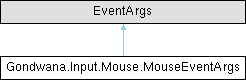
Inheritance diagram for Gondwana.Input.Mouse.MouseEventArgs:

Public Member Functions

 MouseEventArgs (MouseEventConfiguration mouseEventConfiguration, KeyboardModifierState currentKeyboardModifiers, IReadOnlyDictionary< MouseButton, MouseButtonState > buttonStates, Point previousPosition, Point currentPosition, int scrollDelta, long tick)
 Initializes a new instance of the MouseEventArgs class with comprehensive mouse state information including configuration, button states, cursor positions, scroll data, and keyboard modifiers.
bool IsButtonDown (MouseButton button)
 Determines whether the specified mouse button is currently in the down (pressed) state.
bool IsButtonJustPressed (MouseButton button)
 Determines whether the specified mouse button was pressed during the current polling interval.
bool IsButtonJustReleased (MouseButton button)
 Determines whether the specified mouse button was released during the current polling interval.

Properties

MouseEventConfiguration MouseEventConfiguration [get]
 Gets the configuration details for the mouse event monitoring, including throttling settings and pause state. This configuration controls how frequently mouse events can be generated and whether event processing is currently active.
KeyboardModifierState CurrentKeyboardModifiers [get]
 Gets the state of keyboard modifier keys (Shift, Ctrl, Alt) at the time this mouse event was generated. This can be a combination of multiple modifiers when keys like Ctrl+Shift are pressed together with mouse actions. Use the convenience properties IsShift, IsCtrl, and IsAlt to check for specific modifiers.
IReadOnlyDictionary< MouseButton, MouseButtonState > ButtonStates [get]
 Gets a read-only dictionary mapping each monitored mouse button to its current state, including whether it is down, was just pressed, or was just released. This provides comprehensive information about all mouse button states and transitions in a single event, enabling handlers to respond to complex multi-button interactions and detect precise press/release moments.
Point PreviousPosition [get]
 Gets the previous position of the mouse cursor before the current polling interval. This position, combined with CurrentPosition, allows calculation of mouse movement delta, which is useful for implementing drag operations, camera controls, and other motion-based interactions.
Point CurrentPosition [get]
 Gets the current position of the mouse cursor at the time this event was generated. This represents the pixel coordinates where the cursor is located and can be compared with PreviousPosition to determine movement direction and distance.
int ScrollDelta [get]
 Gets the accumulated scroll wheel delta since the last poll, measured in implementation-defined units. Positive values indicate upward scrolling (scrolling away from the user), while negative values indicate downward scrolling (scrolling toward the user). The magnitude represents the distance or speed of the scroll. A value of 0 indicates no scrolling occurred.
bool IsShift [get]
 Gets a value indicating whether the Shift modifier key was pressed at the time this mouse event was generated. This is a convenience property that checks if the CurrentKeyboardModifiers flags include KeyboardModifierState.Shift, commonly used for modified mouse operations like multi-selection or alternate drag modes.
bool IsCtrl [get]
 Gets a value indicating whether the Control (Ctrl) modifier key was pressed at the time this mouse event was generated. This is a convenience property that checks if the CurrentKeyboardModifiers flags include KeyboardModifierState.Ctrl, commonly used for modified mouse operations like Ctrl+Click for opening in new tabs or adding to selections.
bool IsAlt [get]
 Gets a value indicating whether the Alt modifier key was pressed at the time this mouse event was generated. This is a convenience property that checks if the CurrentKeyboardModifiers flags include KeyboardModifierState.Alt, commonly used for alternate mouse operations or special drag modes.
long Tick [get]
 Gets the engine tick at the time this mouse event was generated.
bool LeftButtonDown [get]
 Gets a value indicating whether the left mouse button is currently pressed.
bool LeftButtonJustPressed [get]
 Gets a value indicating whether the left mouse button was pressed during the current polling interval.
bool LeftButtonJustReleased [get]
 Gets a value indicating whether the left mouse button was released during the current polling interval.
bool RightButtonDown [get]
 Gets a value indicating whether the right mouse button is currently pressed.
bool RightButtonJustPressed [get]
 Gets a value indicating whether the right mouse button was pressed during the current polling interval.
bool RightButtonJustReleased [get]
 Gets a value indicating whether the right mouse button was released during the current polling interval.
bool MiddleButtonDown [get]
 Gets a value indicating whether the middle mouse button is currently pressed.
bool MiddleButtonJustPressed [get]
 Gets a value indicating whether the middle mouse button was pressed during the current polling interval.
bool MiddleButtonJustReleased [get]
 Gets a value indicating whether the middle mouse button was released during the current polling interval.

Detailed Description

Provides comprehensive data for mouse events, including cursor position (current and previous), button states with transition information, scroll wheel delta, and keyboard modifier states. This event args class is used with mouse input polling to deliver complete mouse state information to event handlers, enabling sophisticated mouse interaction handling including drag operations, modified clicks, and scroll detection.

Definition at line 13 of file MouseEventArgs.cs.

Constructor & Destructor Documentation

◆ MouseEventArgs()

Gondwana.Input.Mouse.MouseEventArgs.MouseEventArgs ( MouseEventConfiguration mouseEventConfiguration,
KeyboardModifierState currentKeyboardModifiers,
IReadOnlyDictionary< MouseButton, MouseButtonState > buttonStates,
Point previousPosition,
Point currentPosition,
int scrollDelta,
long tick )

Initializes a new instance of the MouseEventArgs class with comprehensive mouse state information including configuration, button states, cursor positions, scroll data, and keyboard modifiers.

Parameters
mouseEventConfigurationThe configuration details for mouse event monitoring, including throttling and pause settings.
currentKeyboardModifiersThe state of keyboard modifier keys (Shift, Ctrl, Alt) at the time of the mouse event. This can be a combination of multiple modifiers using bitwise flags.
buttonStatesA read-only dictionary mapping each mouse button to its current state, including down state and press/release transitions. This provides complete button state information for the event.
previousPositionThe previous position of the mouse cursor before this polling interval, used to calculate movement deltas for drag operations and motion tracking.
currentPositionThe current position of the mouse cursor at the time of this event, representing where the cursor is currently located in screen or client coordinates.
scrollDeltaThe accumulated scroll wheel delta since the last poll. Positive values indicate upward scrolling, negative values indicate downward scrolling, and 0 indicates no scrolling occurred.
tickThe timestamp or tick count at the time this mouse event was generated.

Definition at line 120 of file MouseEventArgs.cs.

Member Function Documentation

◆ IsButtonDown()

bool Gondwana.Input.Mouse.MouseEventArgs.IsButtonDown ( MouseButton button)

Determines whether the specified mouse button is currently in the down (pressed) state.

Parameters
buttonThe mouse button to evaluate.
Returns
true if the specified button is currently pressed; otherwise, false. Returns false if the button is not present in the tracked state collection.

This method provides a safe and convenient way to query button state without directly accessing the ButtonStates dictionary. It avoids exceptions that could occur if a button is not present and centralizes lookup logic.

◆ IsButtonJustPressed()

bool Gondwana.Input.Mouse.MouseEventArgs.IsButtonJustPressed ( MouseButton button)

Determines whether the specified mouse button was pressed during the current polling interval.

Parameters
buttonThe mouse button to evaluate.
Returns
true if the specified button transitioned from up to down in the current event; otherwise, false. Returns false if the button is not present in the tracked state collection.

This method is useful for detecting discrete click actions without triggering repeatedly while the button is held down. The JustPressed state is only true for a single polling cycle.

◆ IsButtonJustReleased()

bool Gondwana.Input.Mouse.MouseEventArgs.IsButtonJustReleased ( MouseButton button)

Determines whether the specified mouse button was released during the current polling interval.

Parameters
buttonThe mouse button to evaluate.
Returns
true if the specified button transitioned from down to up in the current event; otherwise, false. Returns false if the button is not present in the tracked state collection.

This method is useful for detecting the completion of a click or drag action. The JustReleased state is only true for a single polling cycle.

Property Documentation

◆ ButtonStates

IReadOnlyDictionary<MouseButton, MouseButtonState> Gondwana.Input.Mouse.MouseEventArgs.ButtonStates
get

Gets a read-only dictionary mapping each monitored mouse button to its current state, including whether it is down, was just pressed, or was just released. This provides comprehensive information about all mouse button states and transitions in a single event, enabling handlers to respond to complex multi-button interactions and detect precise press/release moments.

Definition at line 37 of file MouseEventArgs.cs.

◆ CurrentKeyboardModifiers

KeyboardModifierState Gondwana.Input.Mouse.MouseEventArgs.CurrentKeyboardModifiers
get

Gets the state of keyboard modifier keys (Shift, Ctrl, Alt) at the time this mouse event was generated. This can be a combination of multiple modifiers when keys like Ctrl+Shift are pressed together with mouse actions. Use the convenience properties IsShift, IsCtrl, and IsAlt to check for specific modifiers.

Definition at line 28 of file MouseEventArgs.cs.

◆ CurrentPosition

Point Gondwana.Input.Mouse.MouseEventArgs.CurrentPosition
get

Gets the current position of the mouse cursor at the time this event was generated. This represents the pixel coordinates where the cursor is located and can be compared with PreviousPosition to determine movement direction and distance.

Definition at line 52 of file MouseEventArgs.cs.

◆ IsAlt

bool Gondwana.Input.Mouse.MouseEventArgs.IsAlt
get

Gets a value indicating whether the Alt modifier key was pressed at the time this mouse event was generated. This is a convenience property that checks if the CurrentKeyboardModifiers flags include KeyboardModifierState.Alt, commonly used for alternate mouse operations or special drag modes.

Definition at line 83 of file MouseEventArgs.cs.

◆ IsCtrl

bool Gondwana.Input.Mouse.MouseEventArgs.IsCtrl
get

Gets a value indicating whether the Control (Ctrl) modifier key was pressed at the time this mouse event was generated. This is a convenience property that checks if the CurrentKeyboardModifiers flags include KeyboardModifierState.Ctrl, commonly used for modified mouse operations like Ctrl+Click for opening in new tabs or adding to selections.

Definition at line 76 of file MouseEventArgs.cs.

◆ IsShift

bool Gondwana.Input.Mouse.MouseEventArgs.IsShift
get

Gets a value indicating whether the Shift modifier key was pressed at the time this mouse event was generated. This is a convenience property that checks if the CurrentKeyboardModifiers flags include KeyboardModifierState.Shift, commonly used for modified mouse operations like multi-selection or alternate drag modes.

Definition at line 68 of file MouseEventArgs.cs.

◆ LeftButtonDown

bool Gondwana.Input.Mouse.MouseEventArgs.LeftButtonDown
get

Gets a value indicating whether the left mouse button is currently pressed.

This is a convenience wrapper around IsButtonDown(MouseButton) for the commonly used primary mouse button.

Definition at line 190 of file MouseEventArgs.cs.

◆ LeftButtonJustPressed

bool Gondwana.Input.Mouse.MouseEventArgs.LeftButtonJustPressed
get

Gets a value indicating whether the left mouse button was pressed during the current polling interval.

This is a convenience wrapper around IsButtonJustPressed(MouseButton) and is commonly used for detecting primary click actions.

Definition at line 199 of file MouseEventArgs.cs.

◆ LeftButtonJustReleased

bool Gondwana.Input.Mouse.MouseEventArgs.LeftButtonJustReleased
get

Gets a value indicating whether the left mouse button was released during the current polling interval.

This is a convenience wrapper around IsButtonJustReleased(MouseButton) and is commonly used for detecting the end of click or drag operations.

Definition at line 208 of file MouseEventArgs.cs.

◆ MiddleButtonDown

bool Gondwana.Input.Mouse.MouseEventArgs.MiddleButtonDown
get

Gets a value indicating whether the middle mouse button is currently pressed.

This is a convenience wrapper around IsButtonDown(MouseButton) for the middle mouse button, often associated with scroll wheel clicks or special actions.

Definition at line 244 of file MouseEventArgs.cs.

◆ MiddleButtonJustPressed

bool Gondwana.Input.Mouse.MouseEventArgs.MiddleButtonJustPressed
get

Gets a value indicating whether the middle mouse button was pressed during the current polling interval.

This is a convenience wrapper around IsButtonJustPressed(MouseButton) and can be used for specialized interactions such as panning or alternate controls.

Definition at line 253 of file MouseEventArgs.cs.

◆ MiddleButtonJustReleased

bool Gondwana.Input.Mouse.MouseEventArgs.MiddleButtonJustReleased
get

Gets a value indicating whether the middle mouse button was released during the current polling interval.

This is a convenience wrapper around IsButtonJustReleased(MouseButton) and is useful for detecting the completion of middle-button interactions.

Definition at line 262 of file MouseEventArgs.cs.

◆ MouseEventConfiguration

MouseEventConfiguration Gondwana.Input.Mouse.MouseEventArgs.MouseEventConfiguration
get

Gets the configuration details for the mouse event monitoring, including throttling settings and pause state. This configuration controls how frequently mouse events can be generated and whether event processing is currently active.

Definition at line 20 of file MouseEventArgs.cs.

◆ PreviousPosition

Point Gondwana.Input.Mouse.MouseEventArgs.PreviousPosition
get

Gets the previous position of the mouse cursor before the current polling interval. This position, combined with CurrentPosition, allows calculation of mouse movement delta, which is useful for implementing drag operations, camera controls, and other motion-based interactions.

Definition at line 45 of file MouseEventArgs.cs.

◆ RightButtonDown

bool Gondwana.Input.Mouse.MouseEventArgs.RightButtonDown
get

Gets a value indicating whether the right mouse button is currently pressed.

This is a convenience wrapper around IsButtonDown(MouseButton) for the secondary mouse button, typically used for context actions.

Definition at line 217 of file MouseEventArgs.cs.

◆ RightButtonJustPressed

bool Gondwana.Input.Mouse.MouseEventArgs.RightButtonJustPressed
get

Gets a value indicating whether the right mouse button was pressed during the current polling interval.

This is a convenience wrapper around IsButtonJustPressed(MouseButton) and is commonly used for context menu or alternate interaction triggers.

Definition at line 226 of file MouseEventArgs.cs.

◆ RightButtonJustReleased

bool Gondwana.Input.Mouse.MouseEventArgs.RightButtonJustReleased
get

Gets a value indicating whether the right mouse button was released during the current polling interval.

This is a convenience wrapper around IsButtonJustReleased(MouseButton) and is commonly used to detect the completion of context interactions.

Definition at line 235 of file MouseEventArgs.cs.

◆ ScrollDelta

int Gondwana.Input.Mouse.MouseEventArgs.ScrollDelta
get

Gets the accumulated scroll wheel delta since the last poll, measured in implementation-defined units. Positive values indicate upward scrolling (scrolling away from the user), while negative values indicate downward scrolling (scrolling toward the user). The magnitude represents the distance or speed of the scroll. A value of 0 indicates no scrolling occurred.

Definition at line 60 of file MouseEventArgs.cs.

◆ Tick

long Gondwana.Input.Mouse.MouseEventArgs.Tick
get

Gets the engine tick at the time this mouse event was generated.

Definition at line 88 of file MouseEventArgs.cs.